![logo dokey white.png]](https://portal.dokey.io/hs-fs/hubfs/logo%20dokey%20white.png?height=40&name=logo%20dokey%20white.png)
Go to the Team page using the main menu at the top right of your window.
You can manage your team:
- Change the name of your team
- Add members
- Assign roles and access levels: editor, administrator or guest
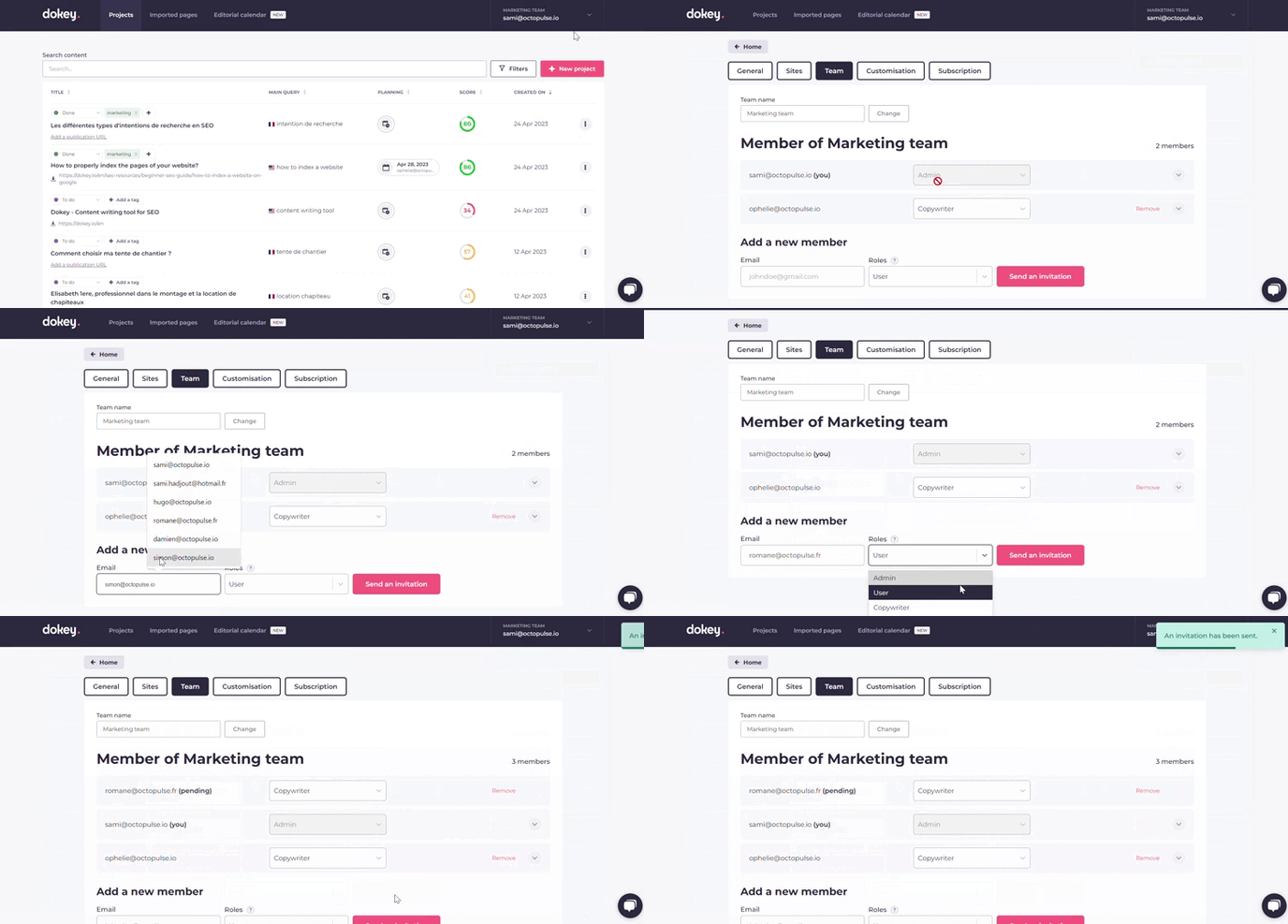
New users will receive an email inviting them to join your team.